


İTEMPOL Oyun Haberleri ve Rehberleri
Metin2, Mobile2, Royale2 Online ve diğer popüler oyunlara ait güncel rehberleri, server tanıtımlarını ve dijital ürün içeriklerini keşfedin.
News Category » Gaming Security » The Forest Cheats and Console Commands
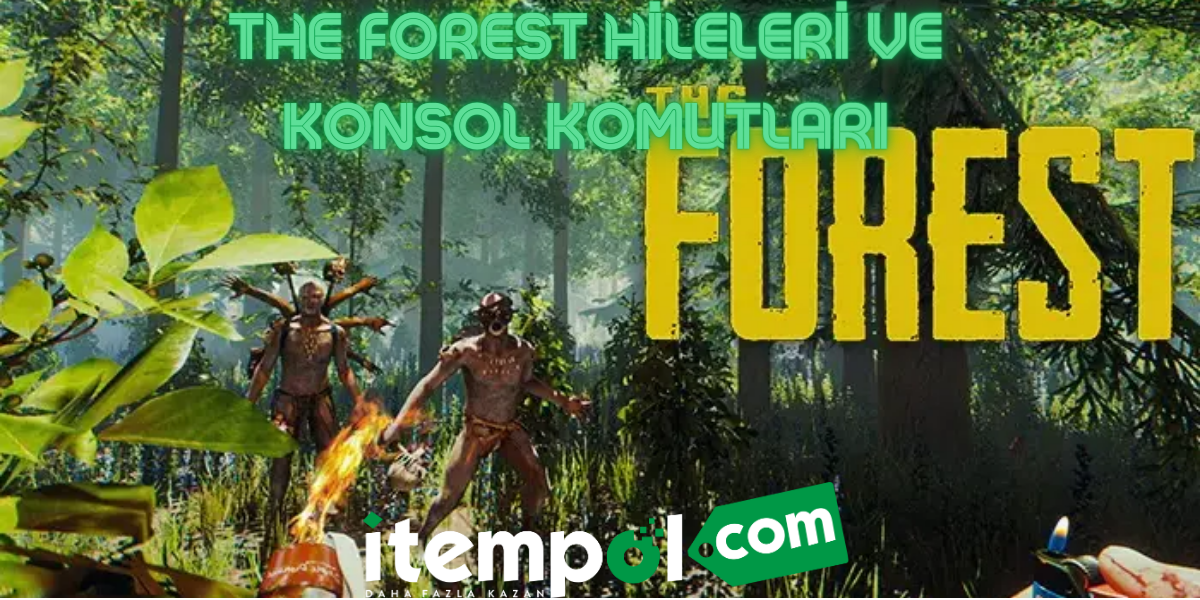
The Forest was enjoyed by most of the players with its story and gameplay. It has become much more playable thanks to regular updates. If you are going to start the story again or are stuck at some point, you can have a fun time with The Forest cheats and console commands .
What are The Forest Cheats and Console Commands?
Players struggled with mutated creatures, harsh living conditions and dangerous wildlife to save the character Timmy. Some saved the character and escaped from the island, while others continued the order they had established on the island and became its natives. Players who have difficulty in surviving can easily overcome this process with The Forest cheat codes.
There are a few steps you need to do to play The Forest with cheats and console commands . You need to run the game as an administrator and type "developermodeon" on the first waiting screen. After doing this, you will be able to open the console by pressing F1 in the game. After activating the console, you can type any cheat code you want and use it. Here are The Forest cheats;
- cavelight " on or off " : With this command, you can make the caves bright.
- speedyrun on: Your character runs much faster than he normally should.
- godmode on: You make your character immortal. So you can easily kill the toughest monsters.
- birds ” on or off ” : You can eliminate the birds in the game.
- veganmode: Eliminates creatures in the outside world that can harm your character.
- survival off: After writing this code, your character will never be hungry or thirsty.
- buildermode on: Adds all the materials you can collect in the game to your inventory. This way, you can build any building you want very quickly.
- forcerain ” sunny or heavy ” : Allows you to change the weather on the map as rainy or sunny.
- ironforest: Prevents the buildings you build from being damaged. In this way, you can fight monsters from a safe building.
The Forest Teleport Commands
The list below contains console commands that will help you navigate to important locations in the game. You can use these codes to find the katana, the most popular weapon in the game. Specifically, where is The Forest katana cave? Players who ask should look here.
- goto hull: Teleports to the side of the crashed plane at the beginning of the game.
- goto yacht: Teleports your character to the yacht that has an important place in the story.
- goto sinkhole: Teleports under the large sinkhole on the island.
- goto snow: Teleports you to the snow biome where you can find important survival items.
- goto cave1: Teleports to the cave where the katana weapon is located.
- goto cave2: You can find the modern axe and compass here.
- goto cave3: Teleports to the cave where you can find the chainsaw.
- goto cave5: You can find the rusted ax in this cave.
- goto cave6: You will be teleported to the cave where the Keycard and Camcorder items are located.
- goto cave7: You can find tennis racket and modern bow here.
The Forest Weapon Console Commands
If you are having trouble finding the weapons in the game or if you need them instantly, the following The Forest weapon codes will be useful. Instead of sharing all the weapons, we tried to include the most useful ones.
- additem 75: Fire Stick
- additem 88: Modern Axe
- additem 180: Katana
- additem 230: Flintlock Pistol
- additem 231: Flintlock Pistol Bullet
- additem 261: Chainsaw
- additem 265: Machete
- additem 306: Crossbow
- additem 307: Crossbow Bolts
- E. History : 25.10.2023 22:27
- reading : 2.528
Popular News









İTEMPOL Haberler Bölümünde Neler Bulabilirsiniz?
İTEMPOL Haberler bölümünde oyun dünyasına yönelik bilgilendirici makaleler, oyun rehberleri, server incelemeleri ve dijital ürün içerikleri yayımlanır. Haber başlıklarını ve etiketlerini kullanarak ilgilendiğiniz oyuna ait içeriklere kolayca ulaşabilirsiniz.