


İTEMPOL Oyun Haberleri ve Rehberleri
Metin2, Mobile2, Royale2 Online ve diğer popüler oyunlara ait güncel rehberleri, server tanıtımlarını ve dijital ürün içeriklerini keşfedin.
News Category » Mobile Games » What Happens to Your Account When You Switch Phones on Mobile2? Guide to Transferring Your Account to a New Phone (2026)
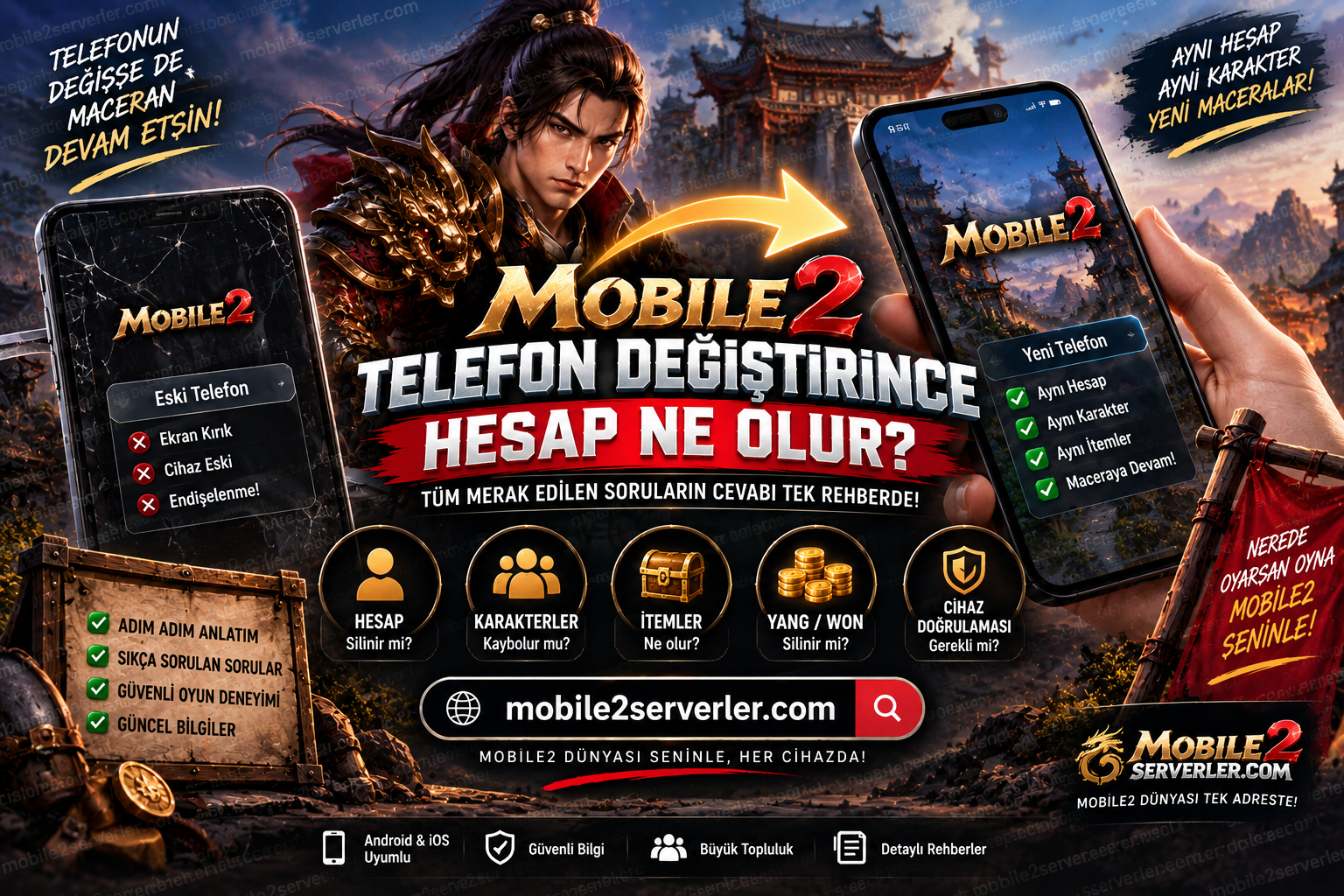
What Happens to Your Mobile2 Account When You Change Phones? Mobile2 Account Transfer Guide 2026
Getting a new phone can be exciting, but Mobile2 players who have spent months developing their characters may immediately have an important question:
What happens to my Mobile2 account when I change phones?
Players may also search for answers to questions such as:
Will my Mobile2 account be deleted if I change phones?
How do I transfer my Mobile2 account to a new phone?
Can I log into my old Mobile2 account on another device?
Will my Mobile2 characters disappear?
What happens to my items, Yang and Won?
My old phone is broken. How can I recover my Mobile2 account?
How does Mobile2 device verification work?
Can I use the same Mobile2 account on two phones?
There is no single answer that applies to every Mobile2 server.
Different Mobile2 servers may use different account, login, launcher and device-security systems.
In this guide, we explain what Mobile2 players should know before changing phones and how to protect access to their accounts, characters and in-game assets.
Does Changing Phones Delete Your Mobile2 Account?
Changing your phone does not necessarily mean that your Mobile2 account will be deleted.
The phone and the game account are two different things.
If account information is stored on the game's servers and linked to a username or another account identifier, replacing the physical device should not automatically remove the account.
However, Mobile2 servers can use different account systems.
Depending on the server, players may log in using:
Username and password
Email and password
A custom launcher account
Device verification
Security codes
Two-factor authentication
Other server-specific login systems
Because of these differences, players should always check the official account instructions for the particular Mobile2 server they play.
How to Transfer a Mobile2 Account to a New Phone
The phrase “Mobile2 account transfer” can sometimes be misleading.
In many online games, you are not actually transferring your character files from one phone to another.
Instead, you install the game on your new device and sign in to the same account stored on the game's server.
A typical process may look like this:
Install the official Mobile2 client for your server on the new phone.
Complete any required game or launcher updates.
Open the login screen.
Enter your existing account credentials.
Complete device or security verification if required.
Select the correct server and character.
The exact procedure may differ between Mobile2 servers.
Do I Need My Old Phone?
Not always.
If you still know your username and password and have access to any required verification method, you may be able to log in without your old device.
However, some Mobile2 servers may use additional device-security features.
For example, a new device could trigger a verification request.
If verification depends on your previous device, email address or another security method, additional steps may be required.
Always follow the server's official account recovery procedure.
What If My Old Phone Is Broken?
A broken phone does not automatically mean a lost Mobile2 account.
What matters is whether you still have the information required to access the account.
If you know your username and password, you may be able to sign in from your new device.
The situation can become more complicated if you have also:
Forgotten your password
Lost access to your registered email
Lost your verification method
Enabled device-specific security
Lost your recovery information
In these cases, you may need to contact the server's official support team.
Will My Mobile2 Characters Transfer to My New Phone?
If character information is stored on the server and associated with your account, logging into the same account on another compatible device may allow you to access the same characters.
However, players should not assume that every Mobile2 server works exactly the same way.
Different private servers may use different databases, launchers and authentication systems.
Always verify the procedure with the server you actually play.
What Happens to My Mobile2 Items?
Changing phones should not by itself mean losing your in-game items when those items are stored as part of your account or character data.
These may include:
Weapons
Armor
Accessories
Upgrade materials
Costumes
Pets
Mounts
Chests
Event items
Other inventory items
If your inventory appears empty after changing phones, first make sure you have logged into the correct account, server and character.
What Happens to Mobile2 Yang and Won?
Yang and Won are generally part of a server's in-game economy.
If your currency balance is associated with your character or account on the server, simply changing devices should not necessarily alter that balance.
If your Yang or Won does not appear after logging in on a new phone, check whether you are using:
The correct account
The correct server
The correct character
before assuming that the currency has disappeared.
My Mobile2 Account Is Missing on My New Phone
Installing Mobile2 on a new device and not immediately seeing your account can be worrying.
However, there are several possible causes.
You may have entered a different username.
You may be using another account.
You may have selected the wrong server.
The installed client may be outdated.
The launcher may still need an update.
Device verification may not be complete.
The server may be under maintenance.
Your login credentials may be incorrect.
Checking these possibilities individually can help determine whether the issue is with the account or simply the new installation.
What Is Mobile2 Device Verification?
Some Mobile2 servers may use device verification as an additional account-security measure.
When you attempt to log in from a new phone, the system may recognize that the device is different.
It could then request additional verification.
Depending on the server, verification might involve:
An email confirmation
A security code
A launcher confirmation
An account panel
A server-specific verification method
There is no universal Mobile2 device-verification system that applies to every server.
Mobile2 Device Change Error
If you receive a warning containing terms such as “device,” “new device,” “unauthorized device” or similar messages, the server may have a device-security feature enabled.
Do not attempt to bypass this protection with modified APK files or unknown third-party software.
Instead, use the server's official device-change or support procedure.
Unknown APK files can create additional security risks for your game account and phone.
Is There a Mobile2 Account Transfer Code?
There is no universal Mobile2 account-transfer code that works across all Mobile2 servers.
If a particular server offers an account transfer or device-change code, it belongs to that server's own system.
Be cautious with websites or individuals claiming to provide universal:
Mobile2 transfer codes
Mobile2 device unlock codes
Mobile2 account recovery codes
Mobile2 verification bypass codes
Account credentials and security codes should only be entered through the appropriate official server system.
Mobile2 Account Transfer From Android to Android
Moving from one Android phone to another is one of the most common scenarios.
Instead of simply copying an old APK from your previous phone, it may be better to install the current official client provided by the Mobile2 server.
An older APK could cause:
Update errors
Launcher errors
Compatibility problems
Login problems
Missing game files
Installation failures
After installing the current client, log into your existing account according to the server's instructions.
Can You Transfer a Mobile2 Account From iPhone to Android?
This depends entirely on the server.
Some Mobile2 servers may support Android only.
Others may provide additional platform support.
Even when a game is available on multiple operating systems, the account infrastructure may differ.
Therefore, players should verify both device compatibility and cross-platform account support before changing between Android and iOS.
Mobile2 Won't Open on My New Phone
Sometimes the problem is not related to your account at all.
If Mobile2 does not start on your new phone, check:
Operating system compatibility
Available storage
Available memory
App permissions
Internet connection
Game version
Launcher version
Current server maintenance
Required game updates
Identifying whether the problem is related to the device or the account can save a lot of unnecessary troubleshooting.
I Changed Phones and Forgot My Mobile2 Password
This situation makes account recovery more important.
If your server provides a password reset feature, you may be able to use your registered email address or another verification method.
If you no longer have access to the registered email address, official server support may be required.
The information needed to verify account ownership will depend on the server's policies.
Never send your password to random users claiming they can recover the account for you.
What Should You Do Before Changing Phones?
Preparing before replacing your phone can reduce the chance of account-access problems.
Before moving to the new device, check:
Your Mobile2 username
Your current password
Access to your registered email
Two-factor authentication settings, if available
Device verification settings, if used
The server's official website
Official support channels
It can also be useful to keep screenshots of important character information, inventory and account details that do not expose your password or security codes.
Screenshots will not recover an account by themselves, but they may help you describe a problem accurately if you need official support.
Can I Use My Mobile2 Account on Someone Else's Phone?
Whether this is technically allowed depends on the server's login and device policies.
From a security perspective, however, logging into your account on another person's phone introduces additional risks.
Your login session or credentials could remain on that device.
If you must use another device, be careful with options such as “remember password” or automatic login.
Never share your password simply because another player offers to log in for you.
Can I Use the Same Mobile2 Account on Two Phones?
This depends on the server.
Some systems may allow an account to be accessed from different devices but restrict simultaneous sessions.
Others may associate accounts with approved devices or apply additional verification when a new device is detected.
Players should check the rules of their specific server rather than assuming that multi-device access is supported.
Where Should You Download Mobile2 on a New Phone?
Use the official download channel provided by the Mobile2 server you play.
Random APK download pages may distribute files that are:
Outdated
Modified
Incompatible
Corrupted
Potentially unsafe
Using the server's official client also reduces the chance of version mismatch after changing devices.
How to Protect Your Mobile2 Account When Changing Phones
Changing devices is a good opportunity to review your account security.
Use a unique password.
Do not reuse the same password across multiple websites.
Never share your password.
Enable additional authentication if your server supports it.
Avoid unofficial APK files.
Do not enter your credentials into unknown websites.
Be cautious with pages promising free Yang, free EP or free items in exchange for login information.
Do not send verification codes to other players.
A person claiming to be an administrator should not automatically be trusted with your password.
What Should You Do With Mobile2 Before Selling Your Old Phone?
If you plan to sell or give away your old phone, make sure your Mobile2 account is no longer accessible from that device.
Sign out where appropriate.
Remove stored passwords.
Remove saved login information.
If the server offers device management, review whether the old device should be removed.
Also follow the phone manufacturer's recommended procedure for securely erasing personal data before transferring ownership.
Mobile2 Account Transfer FAQ
Will changing my phone delete my Mobile2 account?
Not necessarily. Changing the physical device and deleting an online game account are different processes. The exact behavior depends on the server's account system.
How do I move my Mobile2 account to a new phone?
If the account is server-based, installing the correct client and signing into your existing account may be sufficient. Additional device verification may be required.
Will I lose my Mobile2 character if my phone breaks?
A broken phone does not necessarily mean the character is lost. If the character is stored on the server and you can recover access to the account, it may still be available.
Why can't I see my Mobile2 character on my new phone?
Check the account, server and character selection first. Also make sure you installed the correct and current game client.
Will changing phones delete my Mobile2 items?
Changing devices alone should not necessarily remove server-stored items. Exact behavior depends on the particular server infrastructure.
Will my Mobile2 Yang and Won disappear?
If Yang and Won are stored with your server-side account or character data, changing devices alone should not necessarily remove them.
How do I remove Mobile2 device verification?
The procedure depends on the specific server. Use its official device-management or support process rather than attempting to bypass security measures.
Can I play the same Mobile2 account on two phones?
Possibly, but this depends on the server's device and simultaneous-login rules.
I forgot my Mobile2 password after changing phones. What should I do?
Use the server's official password-reset or account-recovery system. If necessary, contact its official support team.
Is my Mobile2 account linked to my phone?
That depends on the server's account infrastructure. Not every Mobile2 server uses the same authentication or device system.
Conclusion
Changing your phone does not automatically mean losing your Mobile2 account.
The most important factor is how your specific Mobile2 server stores accounts and handles authentication on new devices.
Before changing phones, make sure you know your username and password and still have access to any registered email address or security method.
After switching devices, do not immediately assume your account has disappeared if your characters, items, Yang or Won are not visible.
First verify that you are using the correct account, server, game client and character.
Because Mobile2 servers can use different technical systems, server-specific instructions should always take priority over general advice.
Mobile2serverler.com provides guides covering Mobile2 accounts, mobile devices, installation, technical problems, server systems and other topics frequently searched by Mobile2 players.
- E. History : 18.09.2026 19:58
- reading : 8.549
Popular News








İTEMPOL Haberler Bölümünde Neler Bulabilirsiniz?
İTEMPOL Haberler bölümünde oyun dünyasına yönelik bilgilendirici makaleler, oyun rehberleri, server incelemeleri ve dijital ürün içerikleri yayımlanır. Haber başlıklarını ve etiketlerini kullanarak ilgilendiğiniz oyuna ait içeriklere kolayca ulaşabilirsiniz.