

Marketplace » Metin2 Pvp » Mobile2 Alesta » Mobile2 Character and Calculator
Latest Game and Digital Product Listings
Browse current listings for items, accounts, characters, in-game currencies, EP, VP and other digital products on ITEMPOL. Use the available filters to quickly find the game, category and product type you are looking for.
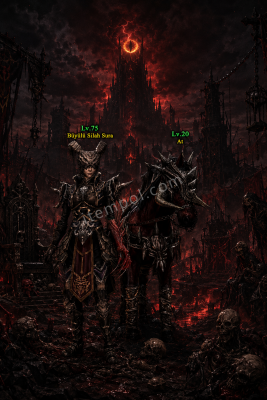
 TekirKedi
 bana4540
Mobile2 Character and Account Trading Guide
The Mobile2 character and account marketplace allows you to browse player listings from different servers in one category. Compare accounts from Global, Alesta, Tramola and Yakamoz by class, level, skills, equipment and other included content.
Choose the Correct Mobile2 Server
When reviewing an account or character listing, check the server first. Characters, items and game progress on different servers may be independent. Confirm that the listing belongs to the Mobile2 server you play on.
- Mobile2 Global account listings
- Mobile2 Alesta character options
- Mobile2 Tramola account listings
- Mobile2 Yakamoz character listings
- Accounts from different servers and levels
Mobile2 Character Classes
Listings may include Warrior, Ninja, Sura and Shaman characters. Character class can affect equipment, skills and play style. Review the class and overall development instead of considering only the character level.
Warrior accounts
For Warrior listings, review the character level, skills, weapons, armor and information about melee development.
Ninja accounts
For Ninja characters, check the skill build, weapon types, equipment features and overall character development.
Sura and Shaman accounts
For Sura and Shaman listings, carefully review skill development, equipment, character quests and all other included content.
Before Choosing a Mobile2 Account
- Confirm the server, character class and level.
- Review skills, quest progress and equipment.
- Check costumes, pets, mounts and other content.
- Make sure the images match the listing description.
- Ask the seller about account transfer and linked information.
How to Create a Mobile2 Account Listing
State the server, character class and level in the listing title. Describe the skills, quest progress, equipment and all included content. Use current images showing the character screen and important products.
Frequently Asked Questions
What determines the price of a Mobile2 account?
The server, character class, level, skills, quest progress, equipment, costumes, pets and other content may affect the listing price.
Do character and account mean the same thing?
A character is an in-game profile within an account. One account may include multiple characters or other content. Review the listing scope carefully.
Why is the server information important?
Characters and products may not be usable across different Mobile2 servers. Confirm that the account belongs to the server you play on before proceeding.
ITEMPOL Digital Game Listings
Browse listings for items, accounts, characters, in-game currencies and digital products from a wide range of games on the ITEMPOL marketplace. Compare current listings to find options that suit your needs and budget.
What Should You Check When Choosing a Listing?
Make sure the listing title and description are consistent. Check the game, server, product quantity, delivery method and price before purchasing.